
Installation & Support
mRCH Access Control & Monitor — 120V
Install the 120V mRCH Compactor Monitor plus RFID access control (relay options and electromagnetic lock). Complete the worksheet before leaving the site.
120V AC + Access Control
What you are installing
This package includes the standard 120V AC mRCH Compactor Monitor plus access-control hardware (relay options and electromagnetic lock for the loading door or other aligned mount).
Follow the AC monitor wiring first, then the access-control relay and lock steps.
AC monitor wiring
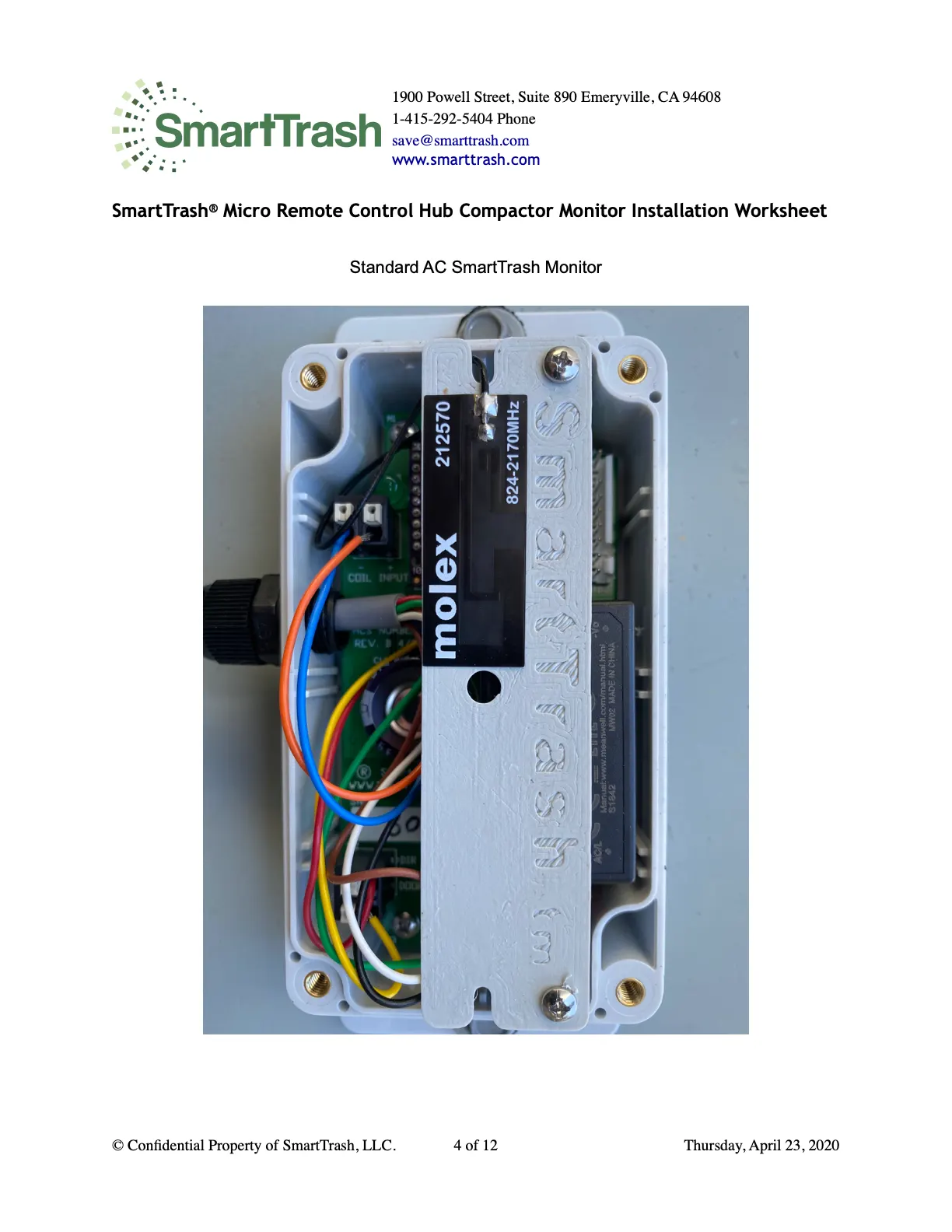
Same AC Neutral reference for all inputs. Do not use this 120V unit on 24V compactors.
- RED DIR · BLACK AC LINE · YELLOW DOOR · WHITE NEUTRAL · BROWN HAUL · BLUE/ORANGE current coil · GREEN DIN 4 — see Monitor 120V guide for full detail.
Parts, mount, and signal test
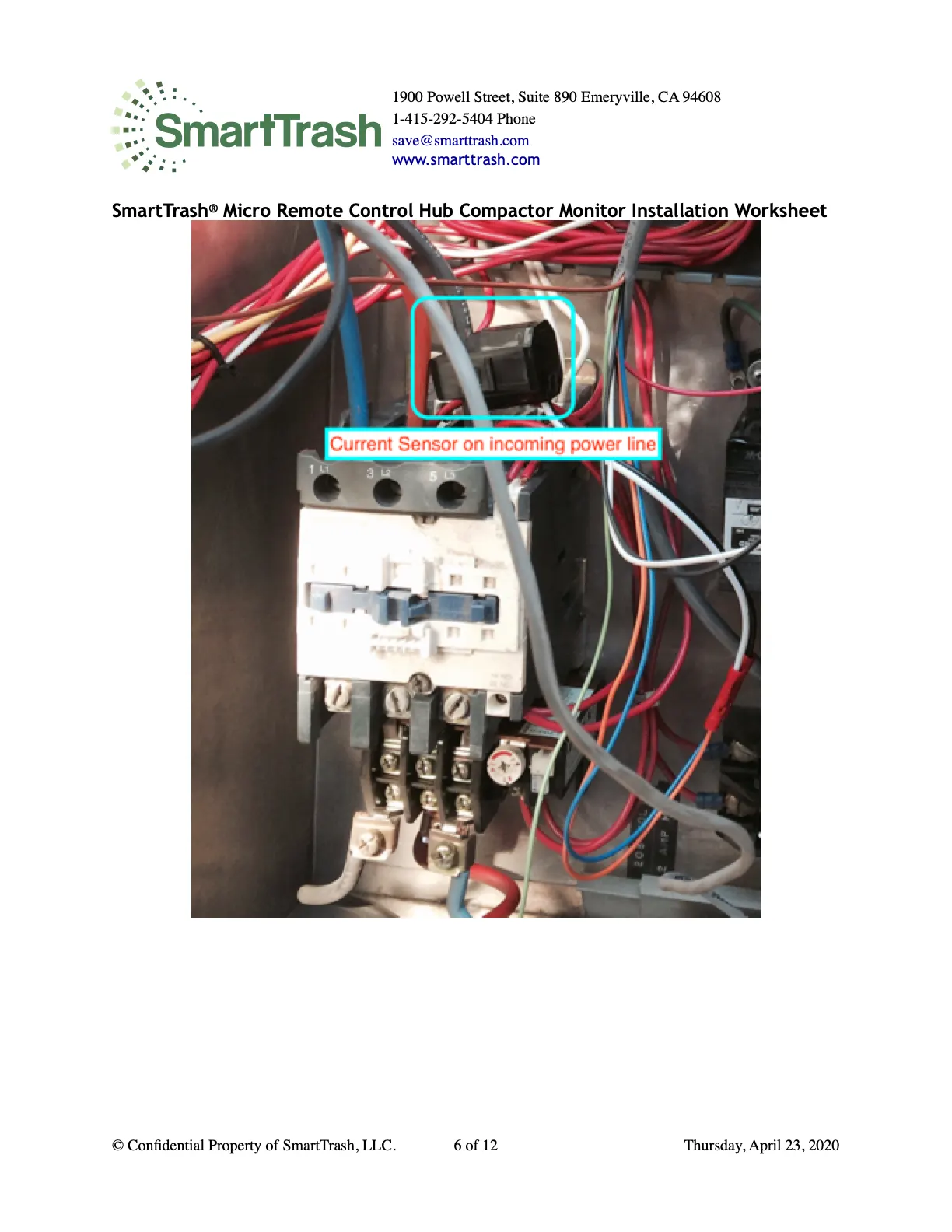
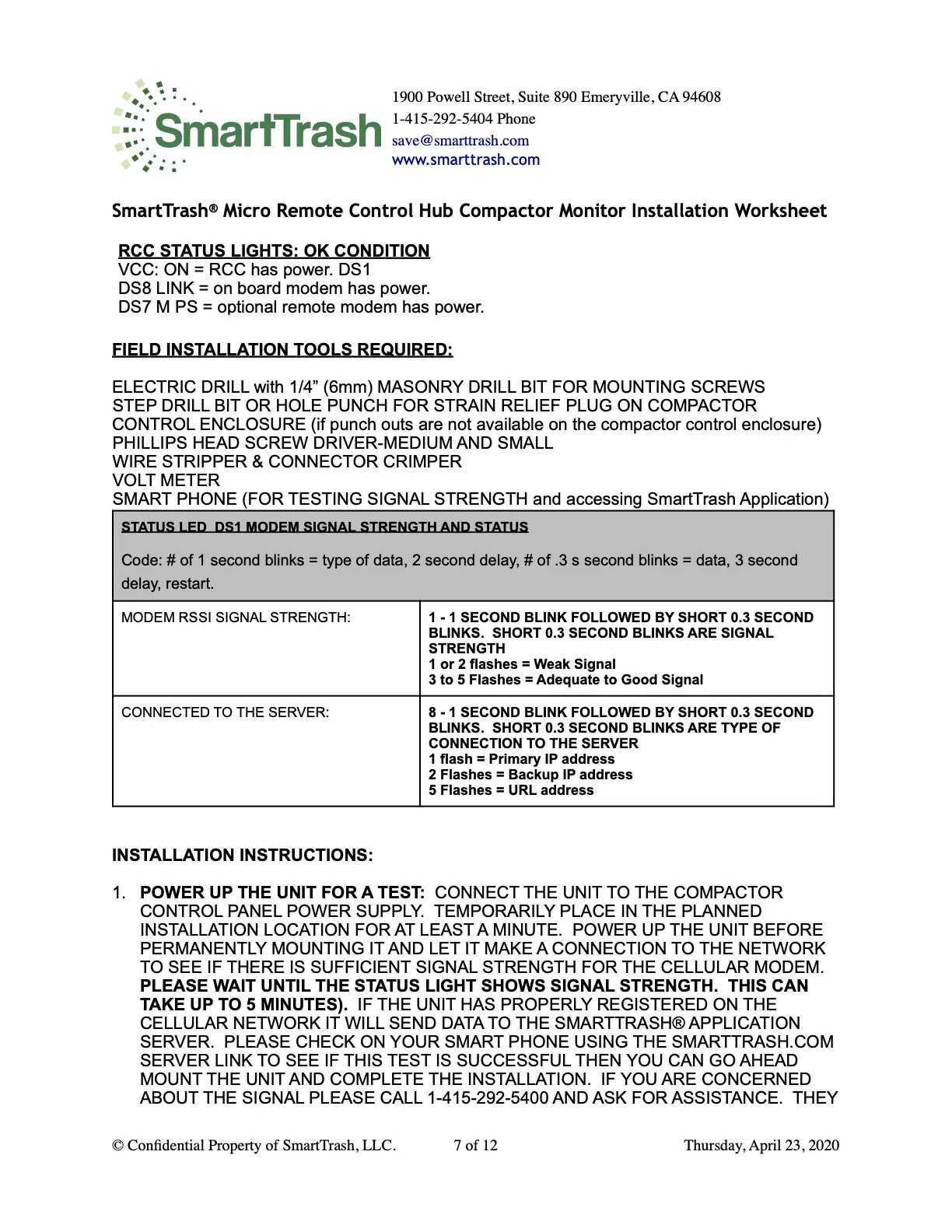
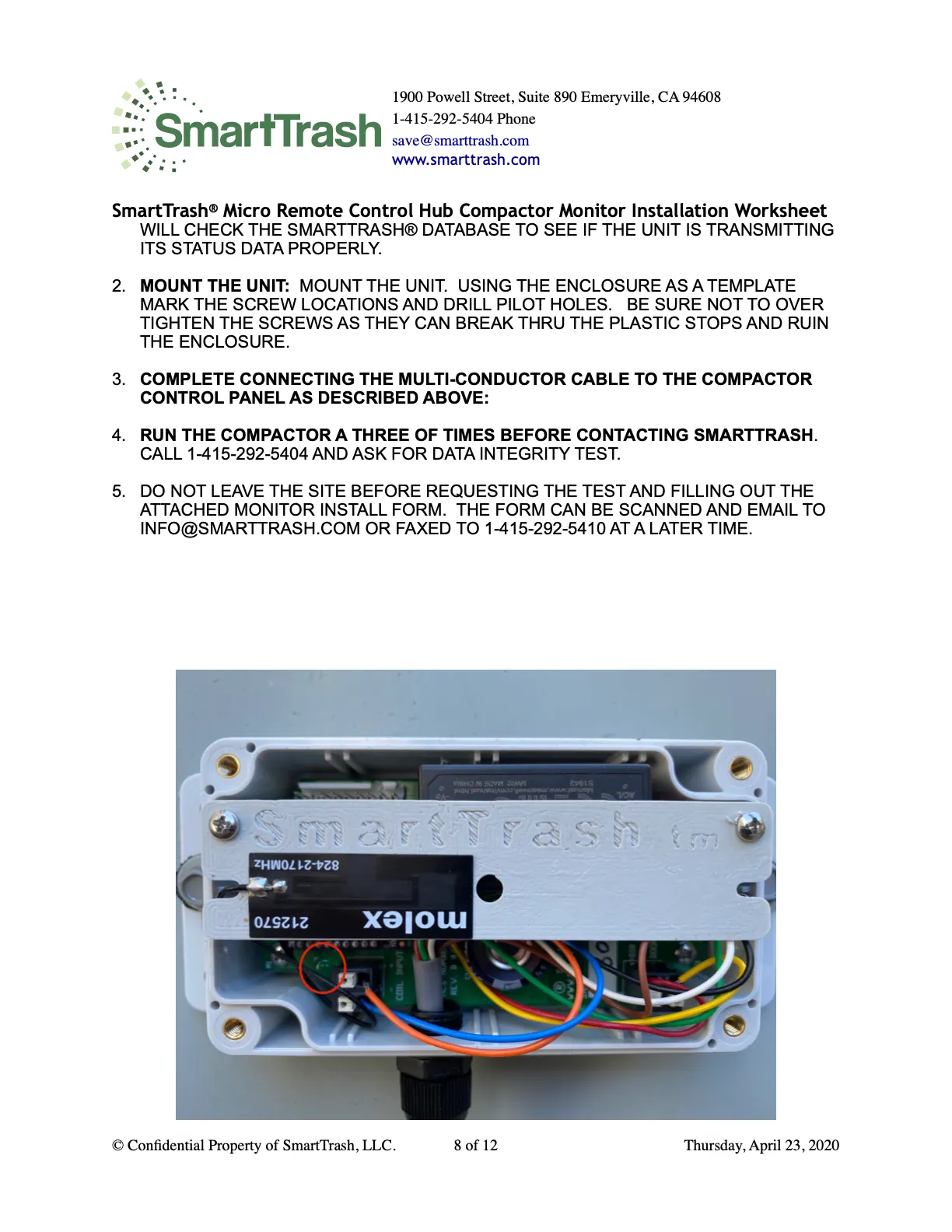
Parts, cable grip, current sensor, power-up signal test, and data integrity call match the 120V monitor procedure.
Access control — relay & lock
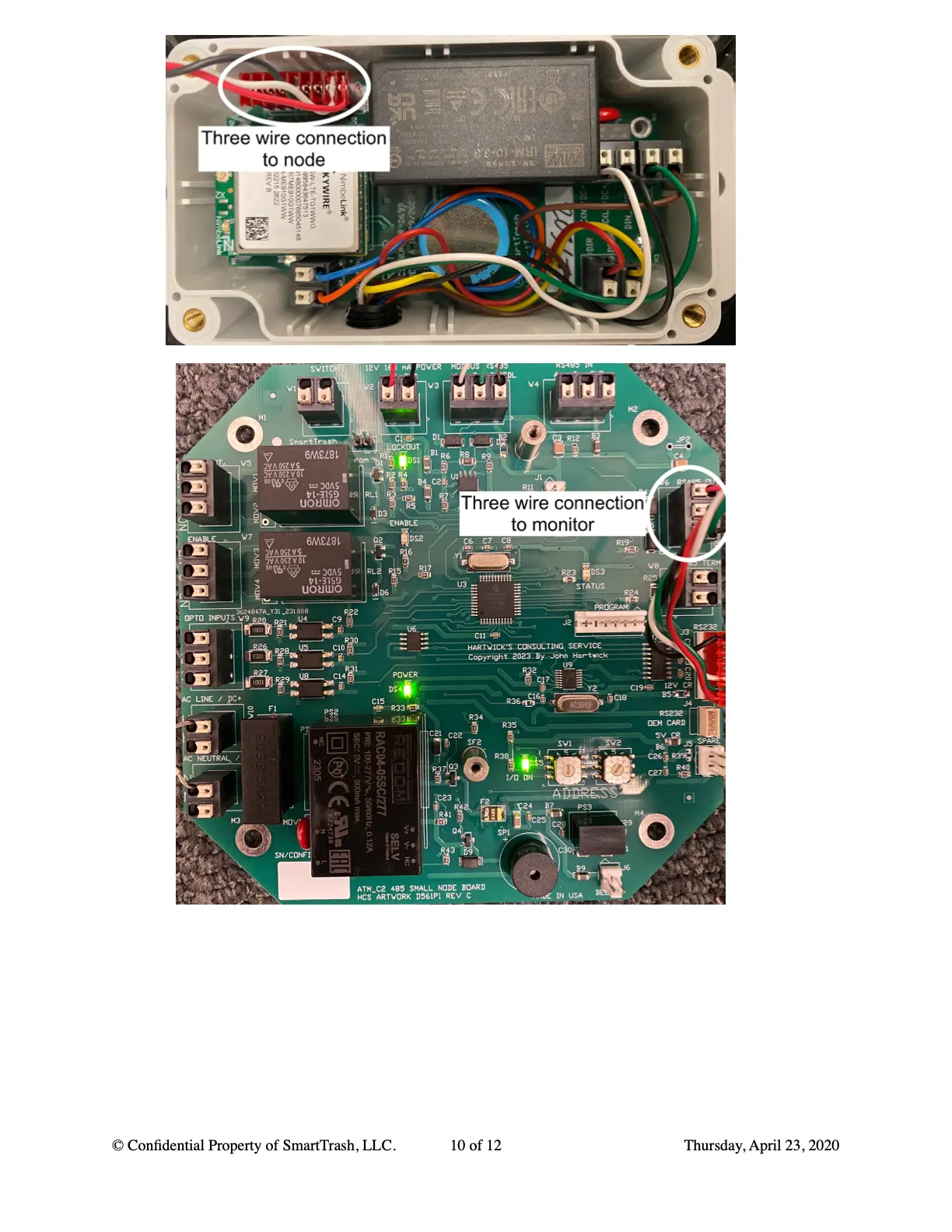
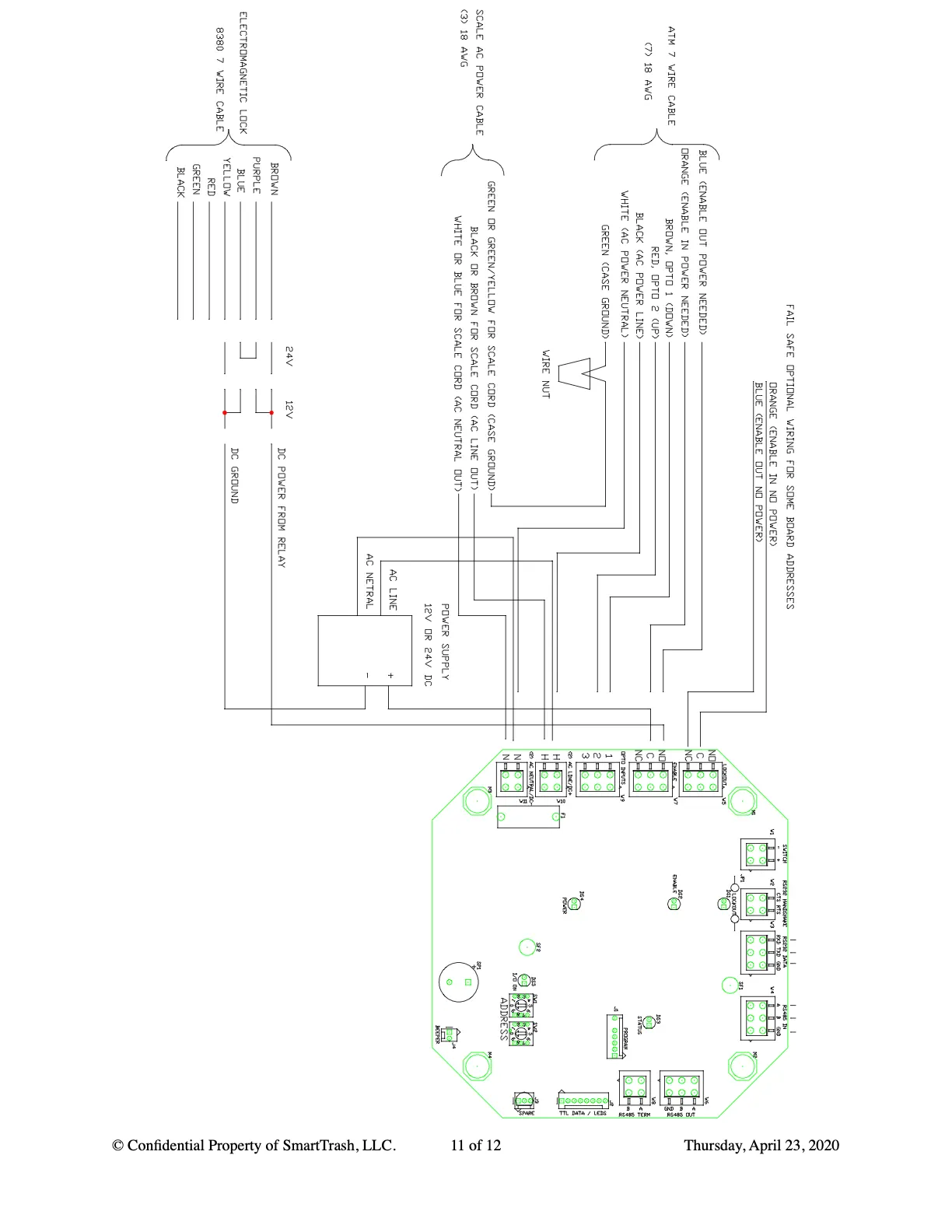
- Relay option Lockout: use when the relay does not need constant power.
- Relay option Enable: use when the relay needs constant power.
- Mount the electromagnetic lock on the inside of the compactor door (or elsewhere) so both magnet halves line up and connect when power is on.

Troubleshooting
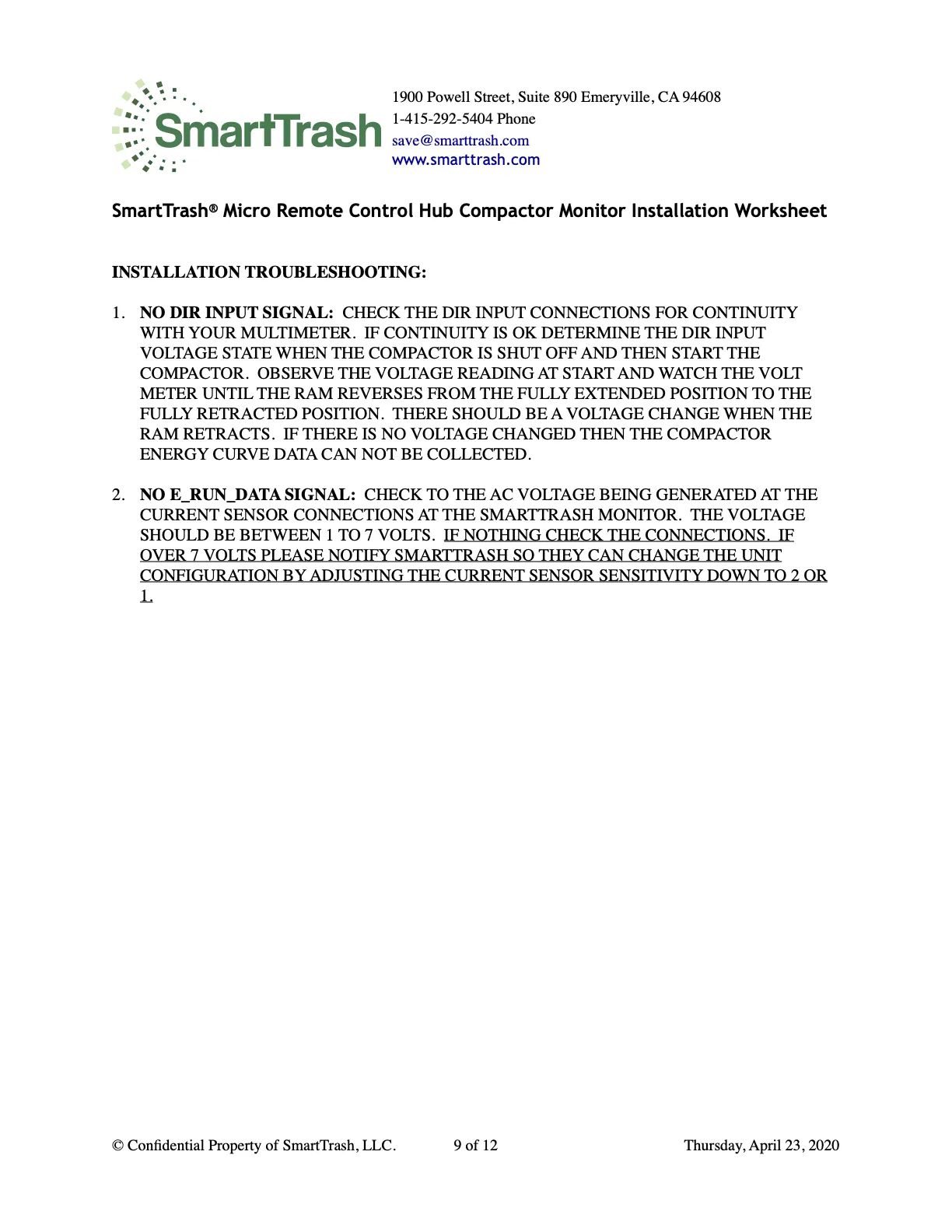
- No DIR input or E_RUN_DATA — same checks as the 120V monitor guide.
Installation worksheet
Do not leave the site until you request a data integrity test (1-415-292-5404) and submit this form.